
Getting Started
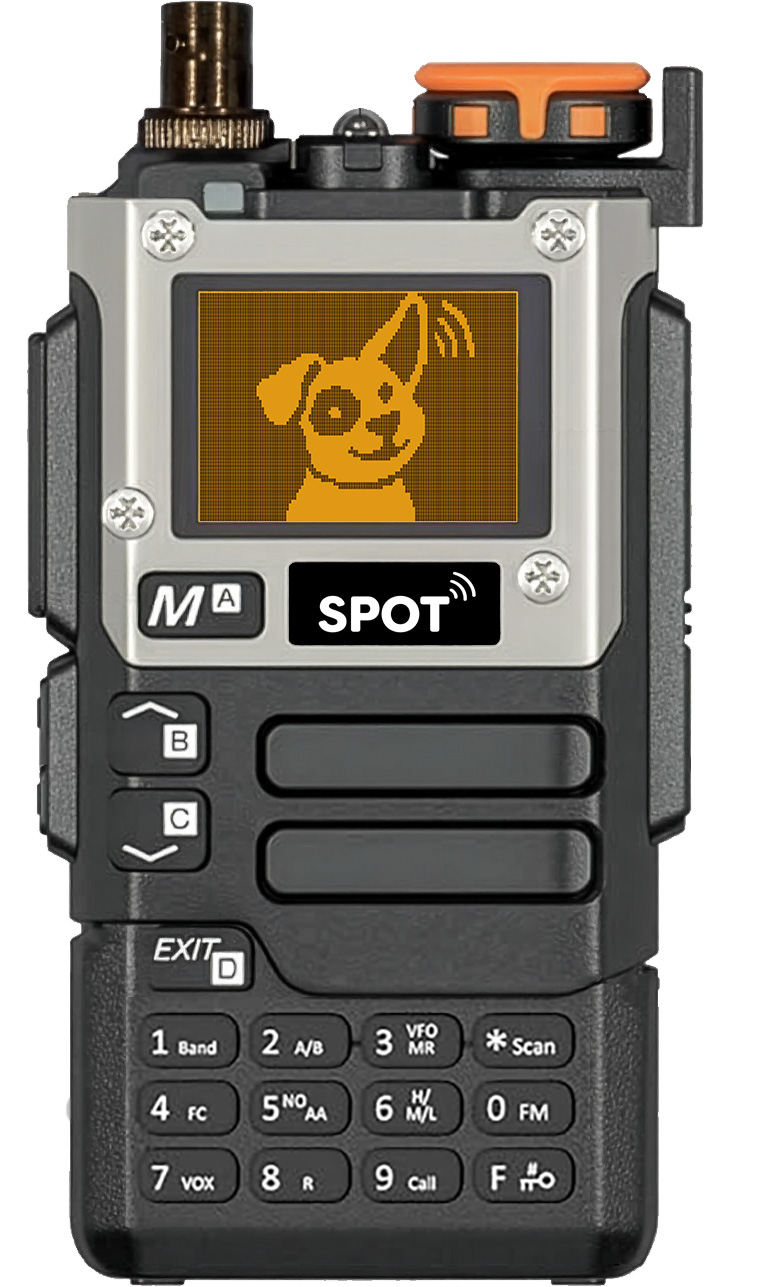
SPOT can store information for up to 200 transmitters in its memory. Each channel contains a frequency and a name (optionally starting with an animal ID). Channels can be organized into lists. There can be up to 16 user-defined lists in addition to a built-in list named ALL.
Lists allow users to scan for a subset of channels, and may represent geographic regions, animals of particular interest, or any other meaningful subset. A channel may be in more than one list.
Physical Controls
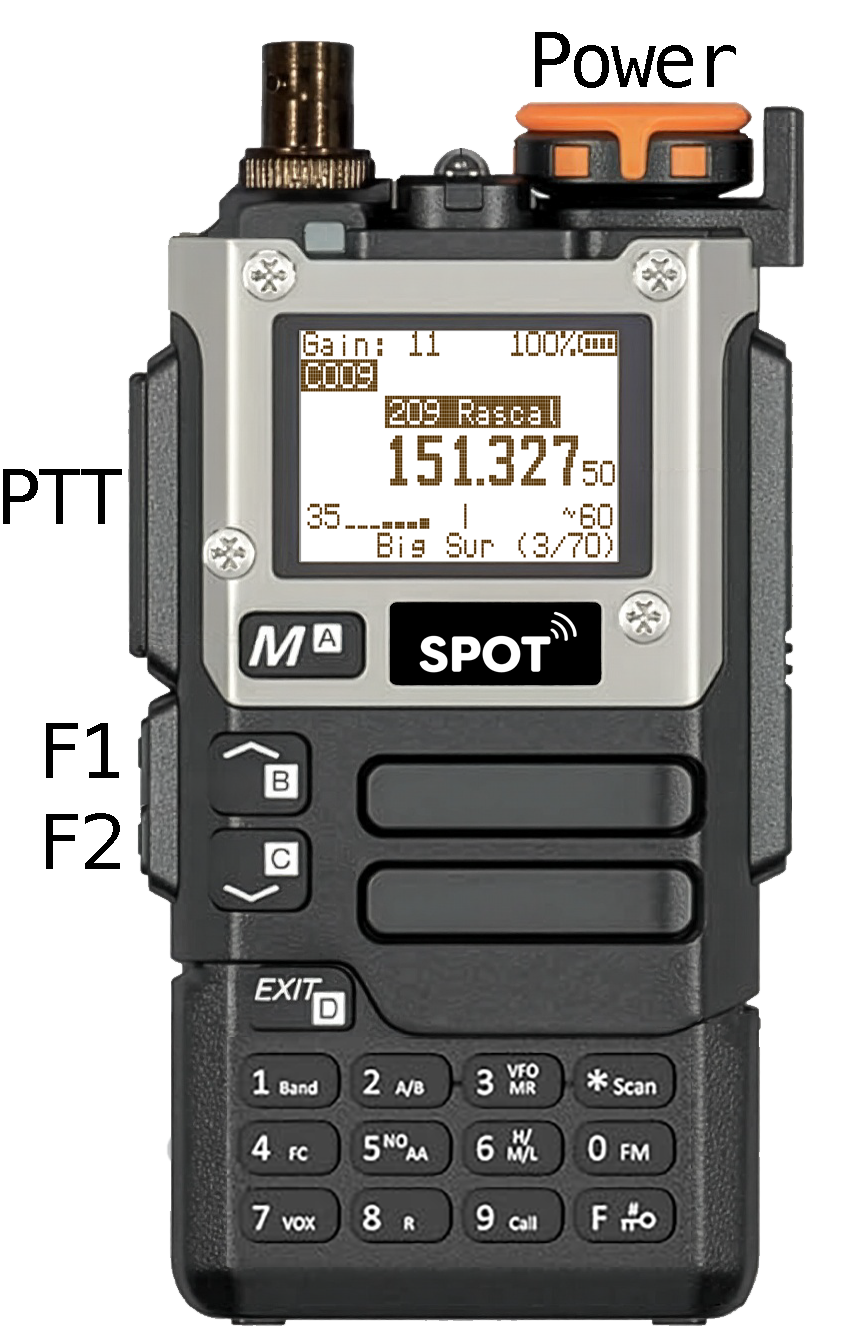
- Turn the power on/off and adjust the volume using the power knob.
- Gain
- Increase gain with Gain Up when signals are weak or distant.
- Decrease gain with Gain Down when signals are strong or nearby.
- Use gain to localize a transmission.
- The large PTT key is not used in normal operation.
For complete operating information, see the SPOT User Manual.
Read the Display
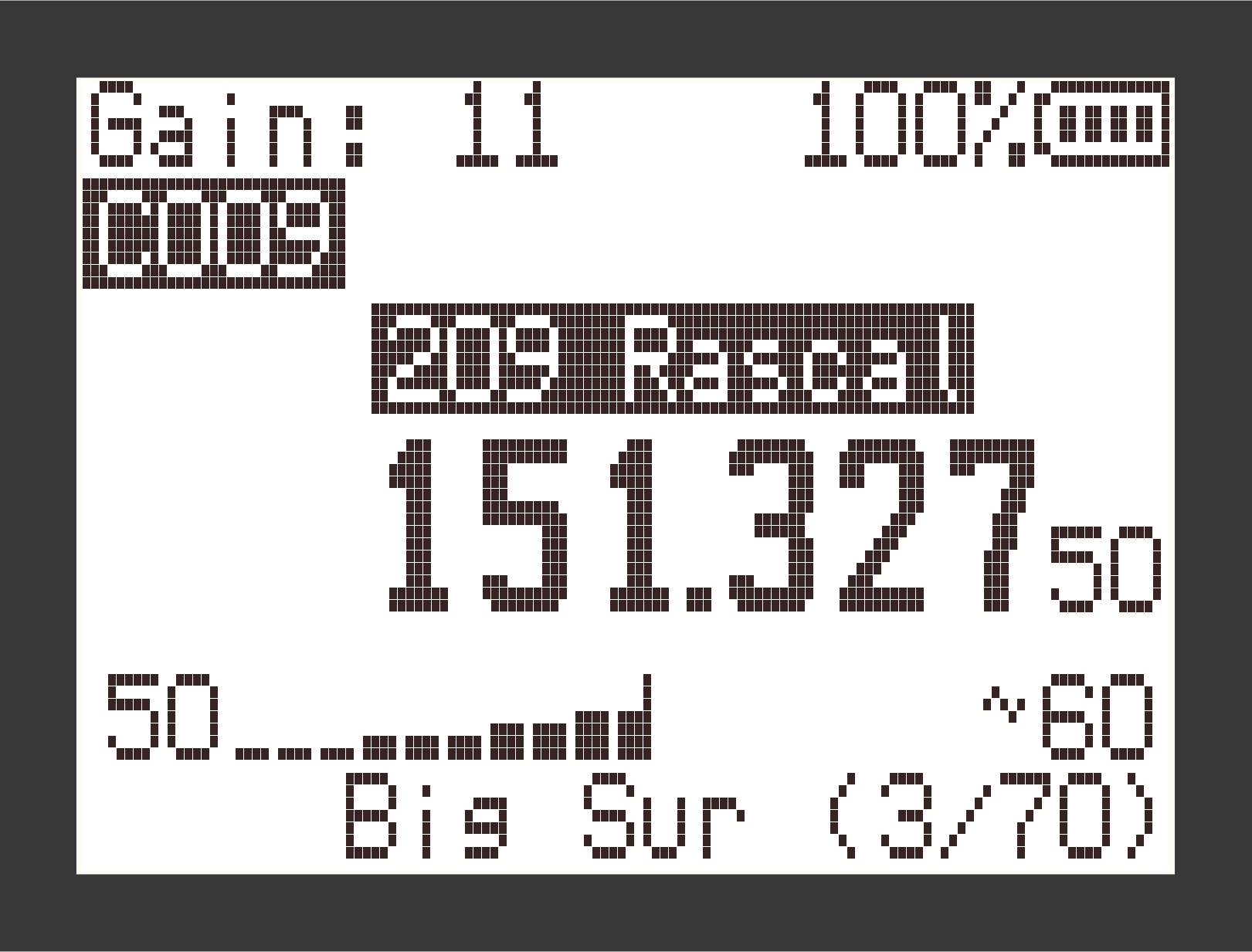
- The top line shows RF gain and battery level.
- The next line shows the channel number.
- The channel name appears above the large center frequency.
- Below the frequency are power, signal strength, and a beats-per-minute reading when a steady signal is detected.
- The bottom line shows the active list and your position in it, such as Big Sur 3/70.
In ID Mode, the channel field becomes the animal ID. In Adjust mode, Adjust appears above the channel name. When scanning, the word Scan is displayed.
Select Active Lists
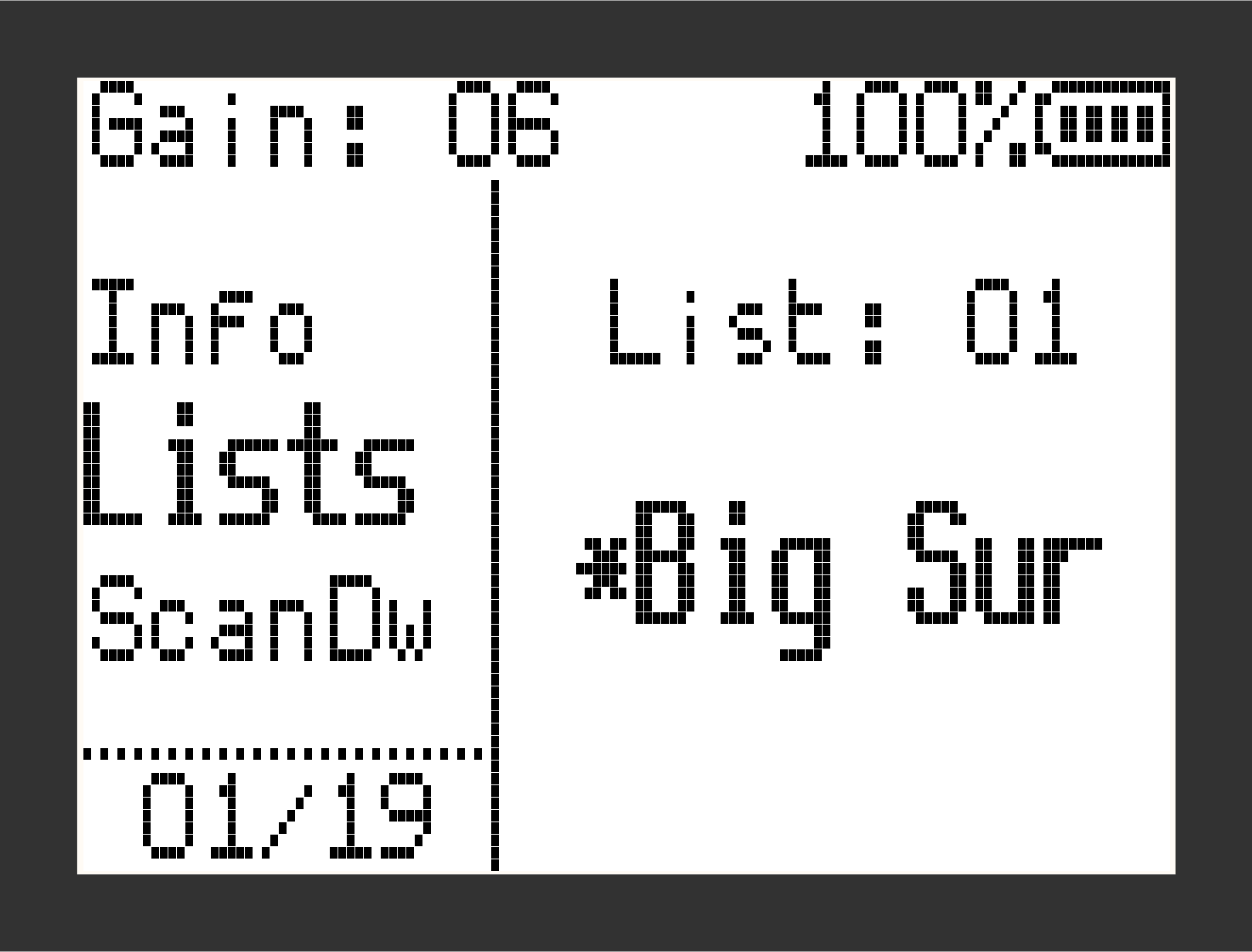
- Press M to open the menu.
- Use ▲ and ▼ to select , then press M.
- Press M to toggle the asterisk beside the displayed list.
- Use ▲ and ▼ to move through lists. Activate the lists you want and deactivate the rest.
Select ALL when you want to include every memory channel.
Refer to the SPOT User Manual for information on Ad Hoc lists and keypad shortcuts.
Navigate Channels and IDs
Channels
- Use ▲ and ▼ to move through channels in the active lists.
- To jump to a channel, enter its number with 0-9, then press M. For example, 2-3-M selects channel 23.
IDs
- Press F - 9, or set to in the menu. The display replaces the channel number with the animal ID.
- Use ▲ and ▼ to move through channels in the active lists.
- To jump by ID, enter up to four digits, then press M. For example, 4-6-M selects the first channel whose name begins with ID 46.
Scan and Fine-Tune
Automatic scanning
Press the Scan button to advance automatically through channels in the active lists.
- Press Scan again to stop on the current channel.
- Press EXIT to stop scanning and return to the channel where scanning began.
- Use the and menu items to control scan behavior.
Fine-tuning a stored channel
- Press F - 8 to enter Adjust mode.
- Use ▲ and ▼ to tune by the current step size.
- Press F - 8 again to save, or EXIT to discard the adjustment.
Commonly Used Shortcuts
- F - 5: Enter / Exit Ad Hoc Mode
- F - 6: Toggle the current channel or ID group's membership in the Ad Hoc list.
- F - 7: Set the active list to ALL and move to the first channel.
- F - 8: enter Adjust mode; use F - 8 again to save the adjustment or EXIT to discard.
- F - 9: Toggle between ID Mode and Channel Mode.
Note: F - # means press F, then the number key. Long-pressing a number key is equivalent to using F with that number.